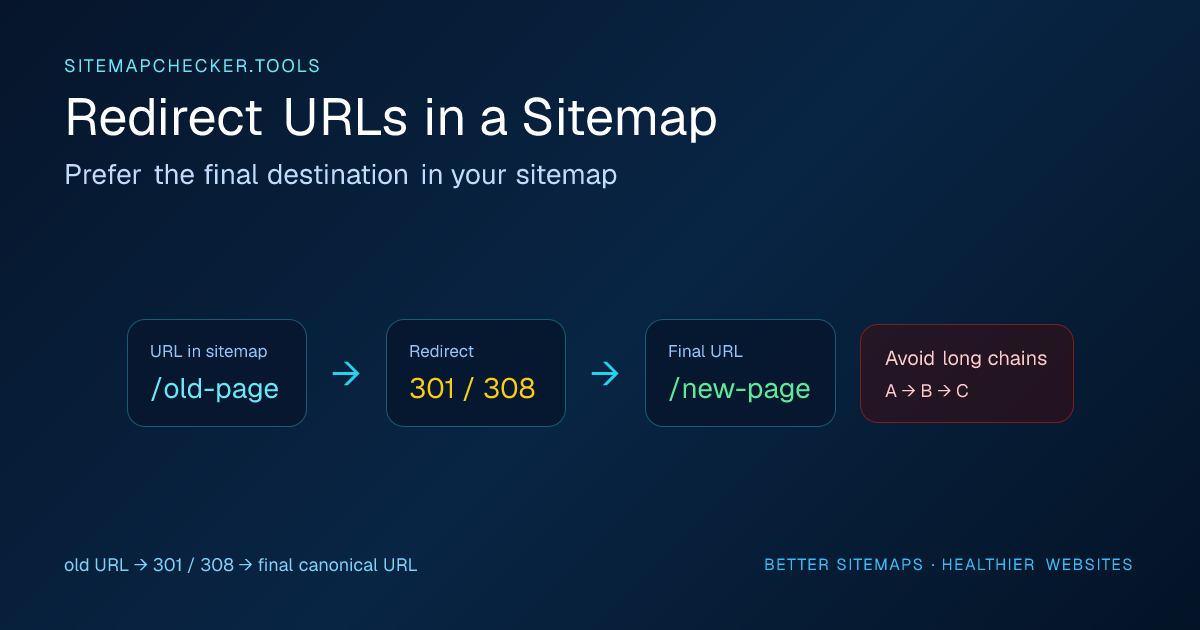
Quick answer: If a sitemap URL redirects and the destination is the page you actually want indexed, remove the redirecting source from the sitemap and list the final preferred URL instead. Permanent redirects such as 301/308 are a strong canonicalization signal; 302/307 redirects need a closer look because the move is supposed to be temporary.
Use the Sitemap URL Checker to live-check a sample of sitemap URLs and see redirect hops, final HTTP status, noindex directives, and canonical signals before you update the sitemap generator.
Are redirects allowed in a sitemap?
A redirecting URL can physically appear inside <loc>, but that does not make it a good sitemap entry.
Google's sitemap guidance says to include the fully qualified canonical URLs you want to see in search results. Search Console's current sitemap error documentation also says that when listed URLs are not followed because of redirects, you should replace redirecting entries with the URLs that should actually be crawled.
That makes the practical rule simple:
If URL A redirects to URL B and URL B is the page you want indexed, list URL B in the sitemap.
Sitemap-file redirects and redirecting page URLs are different problems
There are two redirect cases that are easy to mix up:
- the submitted sitemap file redirects, such as
/sitemap.xmlredirecting to/sitemap-index.xml; - a page URL inside the sitemap redirects, such as
/old-productredirecting to/new-product.
For the first case, submit the final sitemap URL directly so Search Console does not depend on an avoidable redirect at the sitemap-file layer.
For the second case, replace the redirecting <loc> entry with the final preferred page URL when that destination is the page you want crawled and canonicalized.
The XML can be perfectly valid in both cases. The problem is not XML syntax; it is that the submitted URL inventory does not match the final URL architecture.
Why redirecting sitemap URLs are a problem
A redirect is not automatically an SEO disaster. Redirects are a normal part of site migrations, URL cleanup, protocol changes, and content consolidation.
The issue is consistency.
Imagine a sitemap contains:
https://example.com/old-product
That URL returns a 301 redirect to:
https://example.com/products/new-product
The sitemap says “this is a preferred URL worth crawling,” while the HTTP response immediately says “use a different URL.” If the destination also declares itself canonical, the redirecting sitemap entry becomes unnecessary noise.
Cleaning these entries improves the quality of the URL set you submit and makes sitemap reports easier to interpret.
301 vs 302 redirects in a sitemap
For sitemap cleanup, both permanent and temporary redirects deserve review.
A 301 or 308 means the move is intended to be permanent. Google treats permanent redirects as a strong canonicalization signal toward the destination. If the destination is the URL you want in search, update the sitemap to that destination.
A 302 or 307 is temporary. Google can follow the redirect, but a temporary redirect is not the same canonicalization signal as a permanent move. Whether the source should remain in the sitemap depends on what URL is genuinely intended to stay primary. If a “temporary” redirect has become the permanent architecture, fix the redirect type and sitemap together.
Do not use the sitemap as a historical list of every URL your site has ever had. Its job is discovery of the URLs you currently want crawled.
Redirect chains are worse than single redirects
A one-hop redirect is better than a chain:
A → B → C
If a sitemap still lists A, the crawler has to follow multiple steps before reaching C. Search Console's sitemap documentation notes that too many redirects can prevent Google from following URLs listed in a sitemap.
A better setup is:
- sitemap lists C;
- A redirects directly to C;
- B also redirects directly to C if B still receives traffic or links;
- C returns a successful response and carries the intended canonical/indexing signals.
This reduces crawler work and removes ambiguity.
How to find sitemap redirects
There are three useful levels of checking.
1. Validate the sitemap XML
This catches malformed XML and bad <loc> values but cannot tell you whether each page redirects.
Use the Sitemap Validator for structural checks.
2. Fetch the sitemap URLs
A live URL audit sends requests to sitemap entries and records redirect hops and final status. This is the fastest way to find obvious 301, 302, 307, and 308 cases.
SitemapChecker.tools intentionally limits the number of live page requests per report so the tool remains bounded and does not become a bulk crawler.
3. Crawl the full site for large migrations
For a large site with tens of thousands of URLs, use a dedicated crawler or server-side export to inspect the complete set. The free checker is better suited to diagnosis and sampling than a full enterprise crawl.
How to fix redirect URLs in a sitemap
The safest workflow is:
- Export or inspect the sitemap entry that redirects.
- Confirm the final destination is the URL you actually want indexed.
- Check that the destination returns a successful response.
- Check for
noindexon the destination. - Review the destination's canonical link.
- Replace the source URL in the sitemap with the final preferred URL.
- Regenerate the sitemap if it is CMS-managed.
- Re-run the checker.
- Resubmit or let Google recrawl the updated sitemap.
If your sitemap is generated automatically, do not manually edit the XML if the next CMS rebuild will recreate the old URL. Fix the underlying URL source, database record, plugin configuration, or sitemap generator instead.
What if the redirect is intentional?
Sometimes the redirect is expected because of a temporary campaign, A/B infrastructure, geolocation, login flow, or migration.
Ask one question: Is the source URL still the URL you want search engines to treat as the preferred indexable page?
If the answer is no, update the sitemap.
If the answer is yes, investigate why the URL redirects at all. A preferred canonical URL should usually resolve cleanly for crawlers rather than immediately sending them elsewhere. If the old URL is actually gone rather than moved, use the 404 URLs in a sitemap guide instead of forcing an unrelated redirect.
Redirects and canonical tags should agree
Redirects and canonical annotations are both canonicalization signals. Google also uses sitemap inclusion as a canonicalization signal, although canonical hints are not absolute commands.
A clean configuration aligns them:
- sitemap lists the preferred URL;
- internal links point to the preferred URL;
- old URLs redirect to the preferred URL;
- the preferred page declares an appropriate canonical.
When these signals disagree, Google can still resolve the situation, but the site is making the job harder than necessary. If the final page declares a different preferred URL, continue with the sitemap canonical mismatch guide before deciding which URL belongs in the sitemap.
Final rule
A redirect in a sitemap is usually not something to preserve. Treat it as a cleanup signal. Put the final, preferred, crawlable URL in the sitemap and keep legacy redirects outside the sitemap for users and old links that still need them.