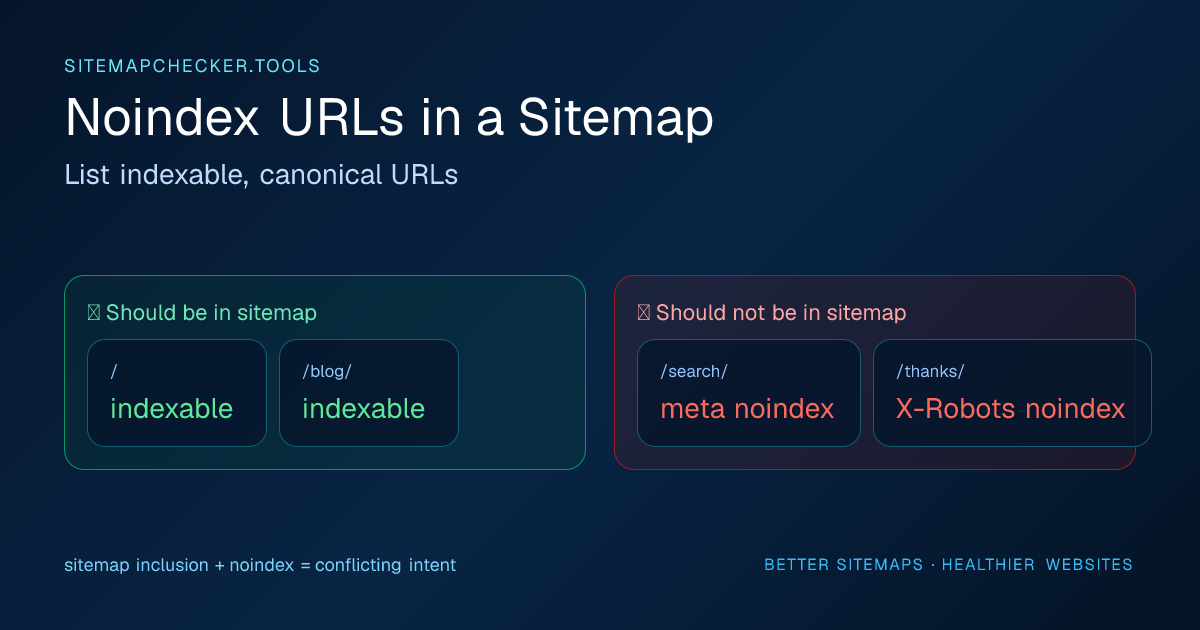
Quick answer: If a sitemap URL is intentionally noindex, keep the noindex rule and remove that URL from the sitemap. If the page should be indexed, fix the accidental noindex and keep the preferred crawlable URL in the sitemap. Check both robots meta tags and X-Robots-Tag headers because either can supply the directive.
Use the Sitemap URL Checker to sample sitemap URLs and detect noindex in HTML meta tags, Googlebot-specific meta rules, and X-Robots-Tag response headers.
What noindex actually does
Google documents noindex as an indexing rule that can be delivered in two main ways:
- a robots meta tag in HTML, such as
<meta name="robots" content="noindex">; - an HTTP
X-Robots-Tagresponse header containingnoindex.
Google says that for a noindex rule to work, Googlebot must be able to crawl the page and see the directive. When Googlebot can access the page and encounters noindex, the page is excluded from Google Search results.
That is different from robots.txt. A robots.txt rule controls crawling. A noindex directive controls indexing after the crawler can access and read the directive.
Why a noindex URL should usually not be in a sitemap
Google's sitemap guidance says to include the URLs you want to see in search results. If a URL is intentionally noindex, it normally does not belong in that list.
For example, these pages may intentionally be excluded from indexing:
- internal search results;
- account or login pages;
- filtered faceted URLs;
- thank-you pages;
- duplicate print views;
- staging or test content;
- thin utility pages that are not meant for organic search.
If those URLs are intentionally noindex, remove them from the sitemap rather than removing the noindex rule solely to make the checker green.
The dangerous case: accidental noindex
The more serious scenario is when the page should be indexed but inherits a noindex directive by mistake.
Common causes include:
- a WordPress or CMS “discourage search engines” setting left enabled after launch;
- an SEO plugin applying noindex to a content type or taxonomy;
- a sitewide HTTP header added at the server or CDN layer;
- a template component that injects
<meta name="robots" content="noindex">; - staging rules copied into production;
- environment variables that still identify production as a preview environment.
In that situation, removing the URL from the sitemap would hide the symptom rather than solve the indexing problem. First decide whether the page is supposed to be indexable.
Which noindex directive wins if several are present?
A page can expose more than one robots rule at the same time. For example, a page might have a general robots meta tag, a googlebot-specific meta tag, and an X-Robots-Tag header.
Google's robots specifications say that when rules conflict, the more restrictive rule applies. So a permissive general rule does not cancel a Googlebot-specific noindex, and a header-level noindex can still exclude a resource even if the HTML contains no matching meta tag.
Also remember that none is equivalent to noindex, nofollow. If a sitemap URL carries none, it has the same indexing conflict as an explicit noindex.
This is why debugging should inspect both HTML directives and response headers rather than checking only one <meta name="robots"> element.
How SitemapChecker.tools detects noindex
The live URL audit checks three places:
<meta name="robots" ...><meta name="googlebot" ...>- the
X-Robots-Tagresponse header
A noindex found in any of these locations is surfaced as an error for a sitemap URL because it conflicts with the usual purpose of sitemap inclusion. The audit also treats none as an indexing exclusion because Google defines it as equivalent to noindex, nofollow.
The checker does not pretend to reproduce Google's complete indexing pipeline. It reports the directives returned by the live HTTP response it receives.
Important: robots.txt can hide a noindex rule from crawlers
Google's noindex documentation contains an important warning: for a noindex rule to be effective, the crawler must be able to access the page and see it.
If robots.txt blocks the page, Google may never retrieve the HTML or response header containing the noindex directive. That means a combination of “blocked by robots.txt” and “noindex” is not a stronger exclusion strategy; it can actually prevent Google from seeing the noindex rule.
If your goal is to keep a page out of search results, use the indexing controls Google documents for that purpose rather than assuming a robots block and noindex reinforce each other.
How to fix noindex URLs in a sitemap
First classify each affected URL.
The page should not be indexed
Keep the intentional noindex and remove the URL from the sitemap generator.
Then check that related internal systems are not re-adding it during each sitemap rebuild.
The page should be indexed
Investigate where the noindex comes from before changing the sitemap.
Check:
- page source for robots meta tags;
- response headers for
X-Robots-Tag; - CMS visibility settings;
- SEO plugin templates;
- server and CDN header rules;
- deployment environment settings.
After removing the accidental noindex, fetch the page again and confirm that the rule is gone. If the same URL also redirects or declares another canonical, resolve that preferred-URL question too with the sitemap redirects guide or canonical mismatch guide.
What about nofollow?
nofollow is not the same as noindex.
A page can contain nofollow without instructing Google to remove that page from search results. The checker specifically treats noindex and none as indexing exclusions. It does not flag every robots directive as a sitemap error.
What if the page is not HTML?
The HTTP X-Robots-Tag can apply to non-HTML resources such as PDFs. That is why checking only HTML meta tags is incomplete.
If a sitemap includes a non-HTML URL and the response sends X-Robots-Tag: noindex, the indexing conflict still exists even though there is no HTML <head>.
Verify the fix
A practical workflow is:
- Run the sitemap through the URL checker.
- Identify URLs marked noindex.
- Decide whether each URL is intentionally excluded.
- Remove intentional noindex URLs from the sitemap.
- Remove accidental noindex directives from pages that should rank.
- Re-run the live audit.
- For Google-specific confirmation, use Search Console URL Inspection.
The goal is not to maximize the number of URLs in the sitemap. The goal is to keep the sitemap focused on the preferred, crawlable URLs you actually want indexed.